Example | Configure global and site specific settings in a CSV text file
The scenario: You copied an existing template. You also created a group, added your five devices to that group, and associated the group with your template, and now it's configuration time. You're on the Settings tab in the template wizard.
You have gone through all the settings and determined that out of the ones you want controlled by the template, two in the System configuration need to be device specific : Hostname and Description.
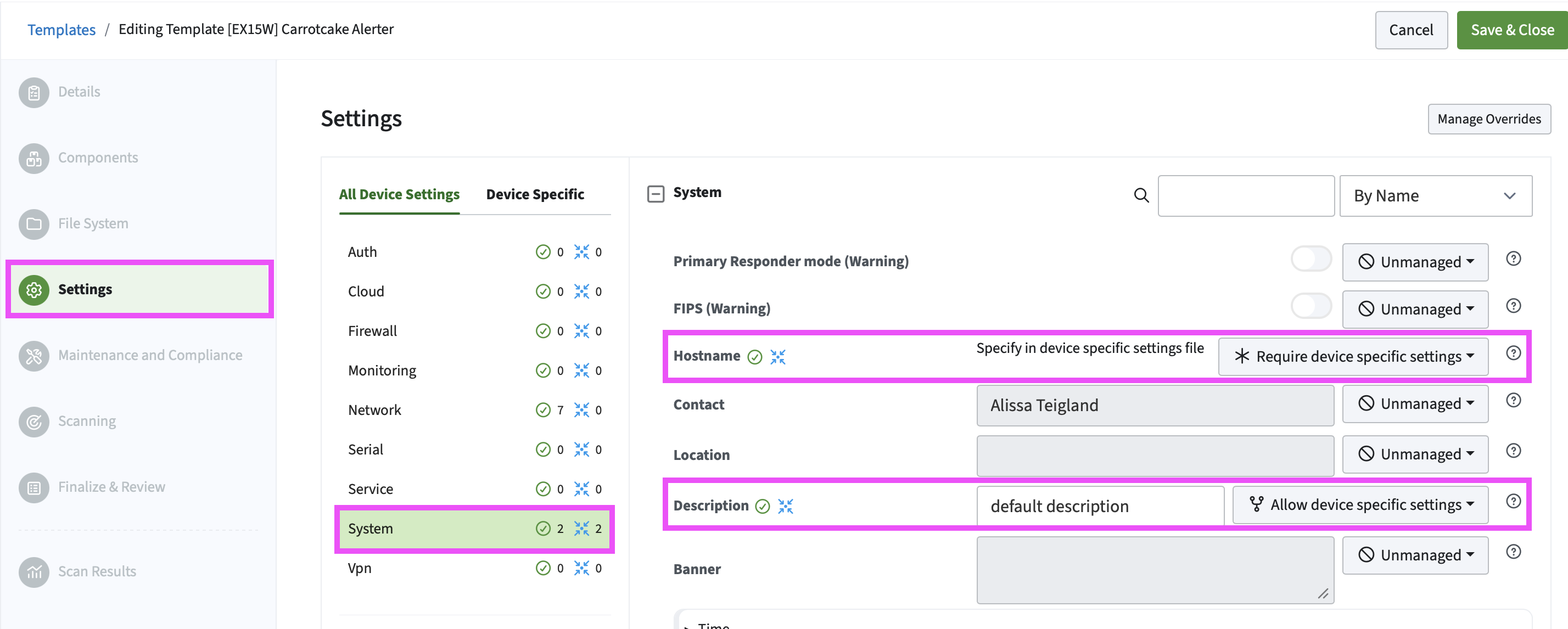
For the Hostname setting, each device has its own unique host name, so you would select the Require site specific settings parameter.
For the Description setting, only two devices need a unique description, so you would select the Allow site specific settings. The global description used by all devices is Device on the network, but you need to use a different description for the two devices.
Download and open the example CSV text file.
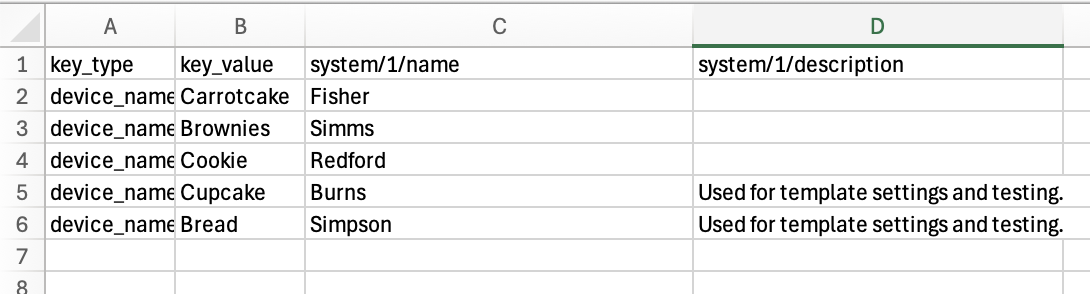
In the Hostname column, add the unique hostname value for each device (for example, Fisher, Simms...). In this instance, there would be a unique value in every cell of the Hostname column. There would be no empty cells.
In the Description column, add the unique description value (for example, Used for template settings and testing) for the two devices. The rest of the cells are empty.

Save the CSV text file and upload it to the template.