About the renewal plan
A renewal plan is a working list of subscriptions and their licenses you intend to renew, selected from the subscriptions in your Digi Remote Manager account. It doesn't renew or change any licenses on its own. It's a planning tool that lets you collect the subscriptions you're considering for renewal, see their estimated cost, and review or export that information before committing to a purchase.
Renewal plans are used for:
-
Collecting one or more subscriptions and adding them to a single planning list.
-
Reviewing the estimated renewal cost for those subscriptions before renewing.
-
Including subscriptions that have licenses that aren't currently assigned to a device or user, so unused capacity isn't overlooked when planning a renewal.
-
Supporting budget conversations and renewal decisions ahead of time, separate from the act of renewing itself.
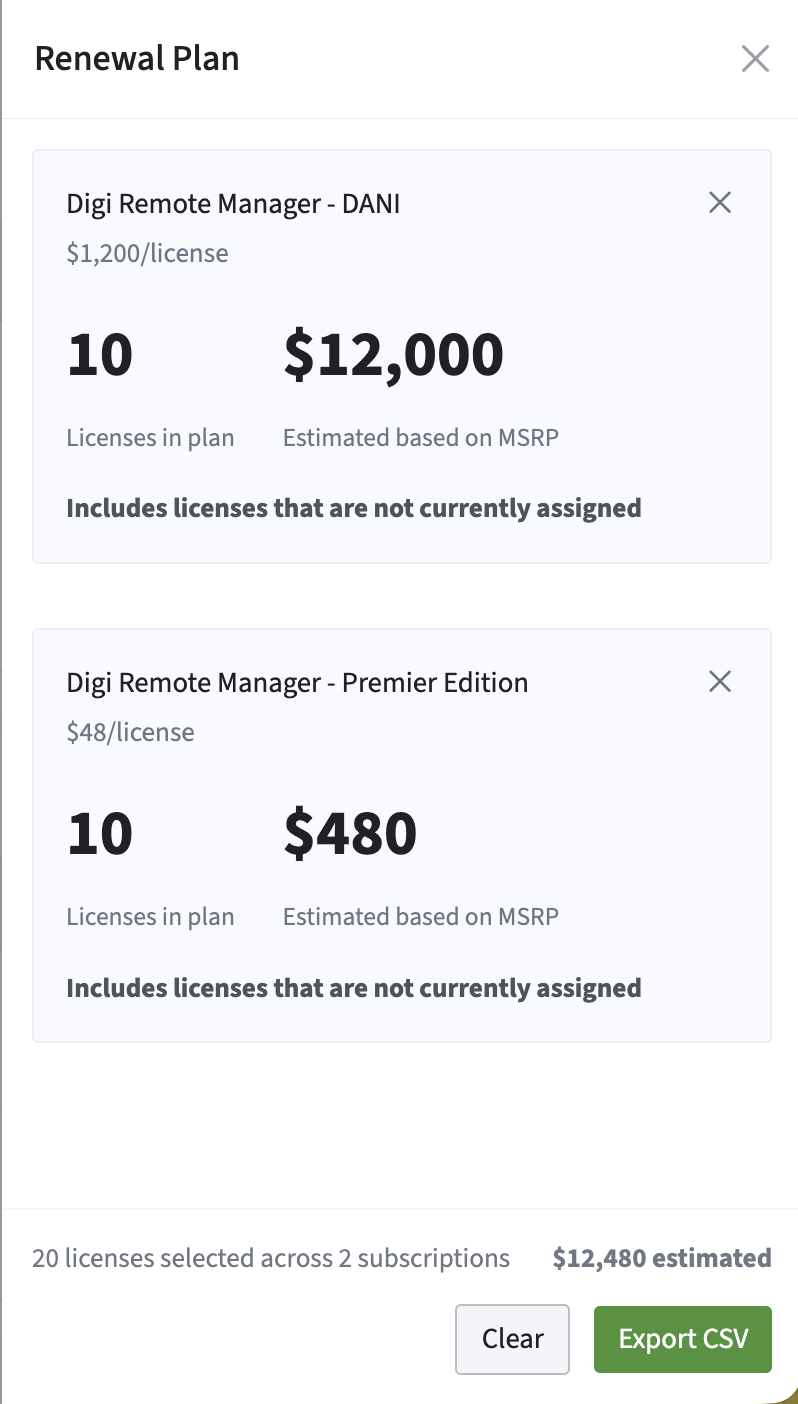
You can see all the subscriptions you've added to the plan on the Renewal Plan panel, as well as export your plan to a CSV.
The Renewal Plan card
The Renewal Plan card is part of the summary cards at the top of the Subscriptions page. It shows the total number of licenses for all the subscriptions currently added to the renewal plan and their estimated total cost.
Clicking the card opens the Renewal Plan panel showing the licenses currently in the renewal plan, grouped by subscription, so you can review what's been added without leaving the page you're on.

The Add to Renewal Plan panel
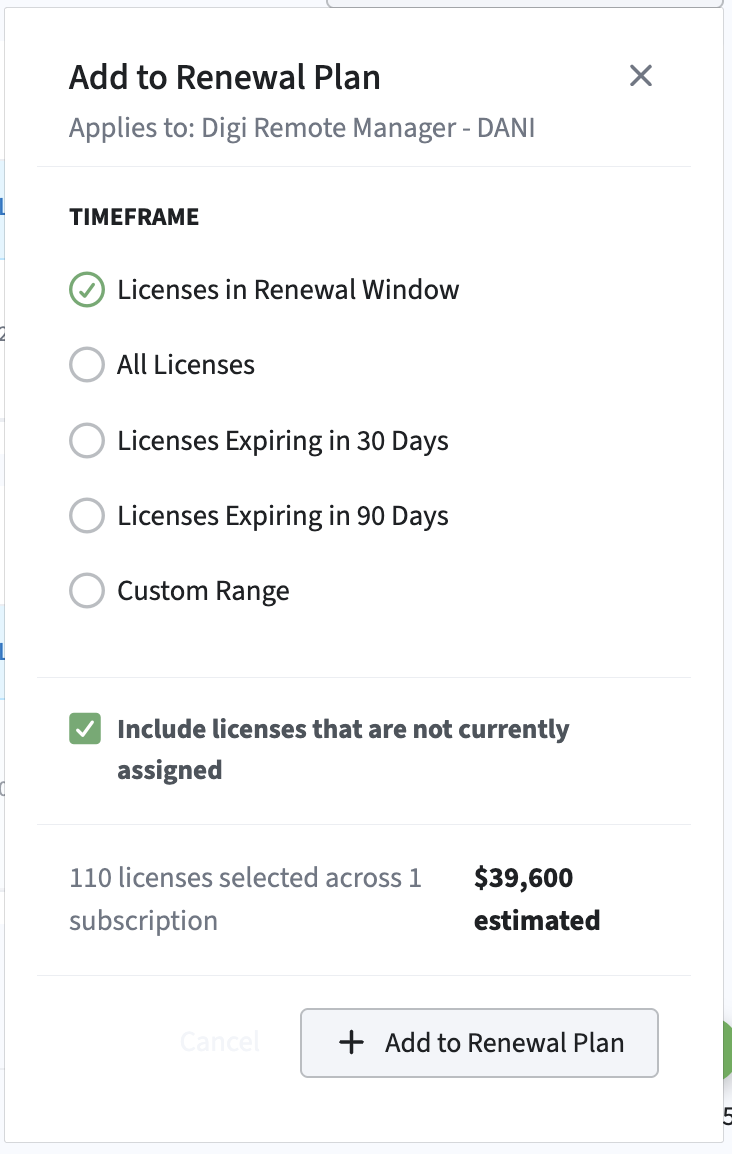
This is the panel that appears after selecting subscriptions and clicking the Add to Renewal Plan button. In the panel, you can:
-
Select a timeframe for the renewal.
-
Enable or clear the option to include licenses that are not currently assigned, so unassigned capacity can be planned for alongside licenses already in use.
-
View the estimated renewal cost for all subscriptions selected before adding them to the plan.
Tip If click the + Add to Renewal Plan button and open the panel without first selecting at least one subscription from the list, the panel opens but you cannot do anything else. Select at least one subscription and then click the + Add to Renewal Plan button again.
Renewal plan vs. adding a license
It's worth keeping these two actions distinct, since they're easy to confuse:
-
Adding to a renewal plan doesn't assign or change any licenses at all. It only adds existing licenses to a list you intend to renew, along with their estimated cost, for review or export.
-
Adding a license assigns an available license to a device or user so the licensed service can be used. This reduces the number of available licenses in the subscription.
In simple terms
The renewal plan is where you build a shortlist subscriptions to renew and see approximately what it'll cost without actually renewing anything or changing who's using what license. The Renewal Budgetary Price card gives you a running total at a glance; the Add to Renewal Plan panel is where you build that list.