About subscription details pages
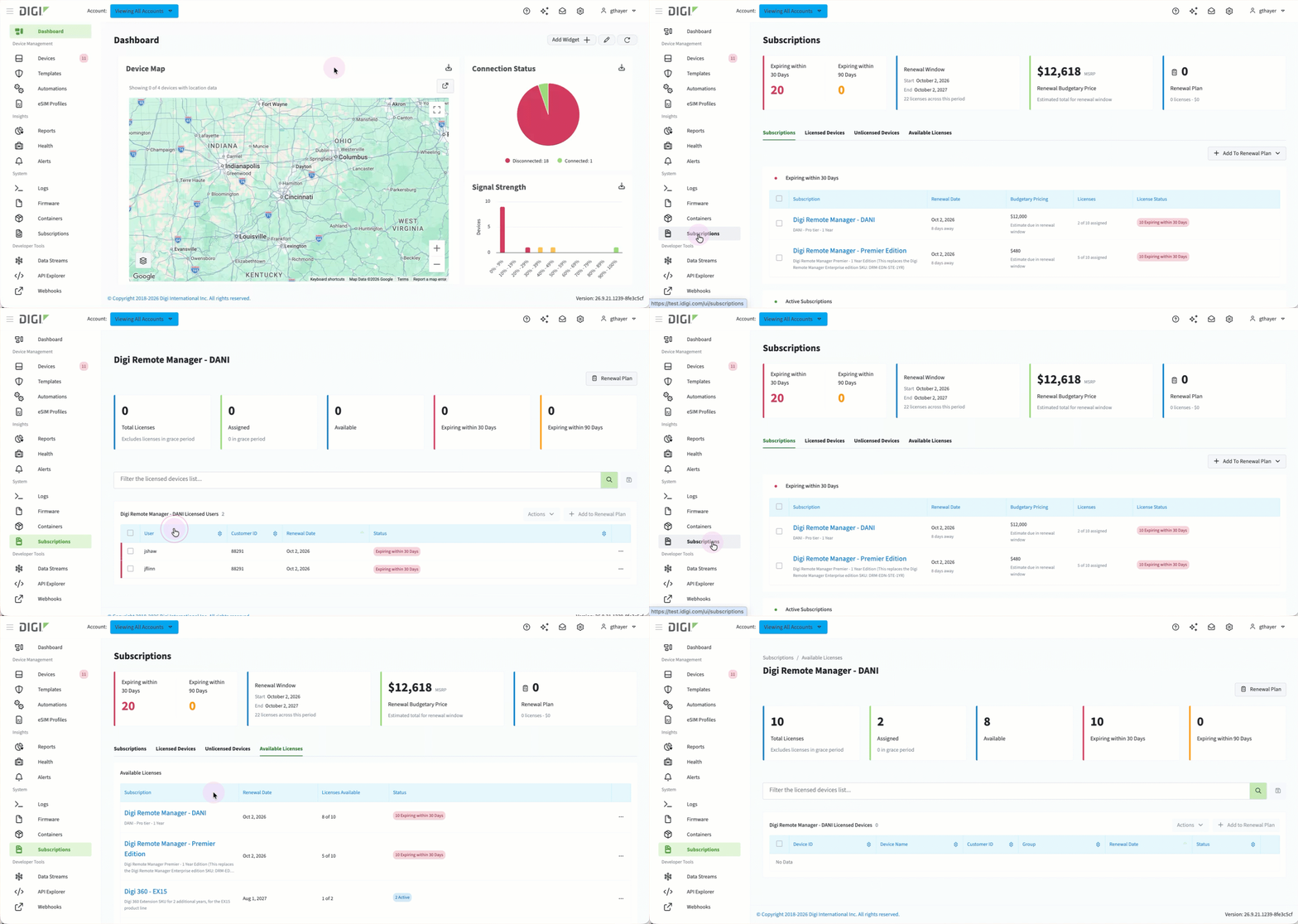 These pages display detailed information about a single subscription and its licenses. You can access a subscription's details by clicking its name in the tables on either the Subscriptions or Available Licenses tabs. This page helps you:
-
Know who or what is using a specific subscription's license.
-
See each entry's renewal date and status.
-
Action on assigning, unassigning, or adding the subscription to a renewal plan.
When you assign a license to a user, you choose which subscription it comes from, and the license expires when that subscription does. To avoid assigning a license that is about to expire, choose a subscription with a later expiration date.
Search queries can be saved by entering a value in the search field and clicking the Save icon to the right of the search button.
To use the Actions and Add to Renewal Plan buttons, select the checkbox next to one or more entries in the table.
Summary cards
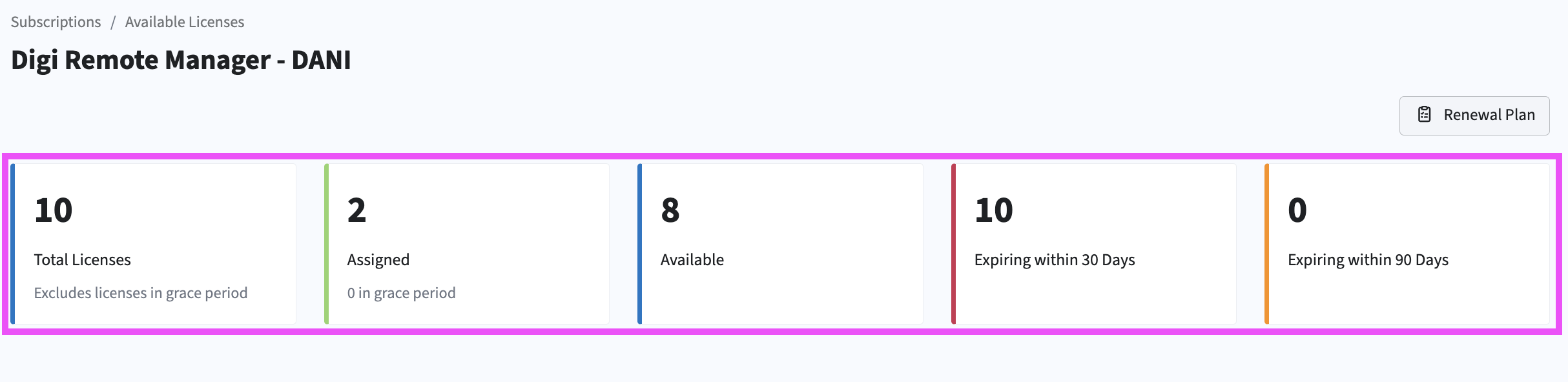
At the top of this page, five summary cards give you an at-a-glance view of that subscription's licenses.
|
Card |
Description |
|---|---|
|
Total licenses |
Number of licenses in the subscription. |
|
Assigned |
Number of licenses in the subscription that have been assigned. |
|
Available |
Number of licenses that are available to assign. |
|
Expiring within 30 Days |
Number of licenses that will expire within a 30-day window. |
|
Expiring within 90 Days |
Number of licenses that will expire within a 90-day window. |
License tables
These tables list the users or devices that have been assigned a license from the subscription. The table heading displays the subscription name and the number of licensed entries. You can filter the table by keyword and save any query by clicking the Save icon. You can assign licenses to one or multiple devices using an ellipses in the table or using the Actions button.
The table information varies depending on whether the licenses are assigned to users or to devices.
User license tables columns
|
Columns |
Description |
|---|---|
|
User |
User assigned to the license. |
|
Customer ID |
ID of the account the user belongs to. |
|
Renewal Date |
When the assigned license renews. |
|
Status |
The current state of the assigned license. |
Device license table columns
|
Columns |
Description |
|---|---|
|
Device ID |
The unique device identifier. |
|
Connection |
Shows whether the device is Connected or Disconnected |
|
Device Name |
Name assigned to the device. |
|
Customer ID |
ID of the account that owns the device. |
|
Group |
The group the device belongs to, if one is assigned. |
|
Renewal Date |
When the assigned license renews. |
|
Status |
The current state of the assigned license. |