Workflow | Remote Reach implementation

The following workflow describes the typical process for configuring and using Remote Reach to access devices connected on the same network as your IX25 .

Action

Considerations

Verify the prerequisites.

  • Before deploying Remote Reach broadly, validate the workflow with one Digi device and the devices connected to its network first to confirm network connectivity, endpoint accessibility, security requirements, and user access procedures.

Enable the Remote Reach feature for an account you manage.

  • Enabling this feature turns it on for the entire account and allows users in that account to access Remote Reach functionality.

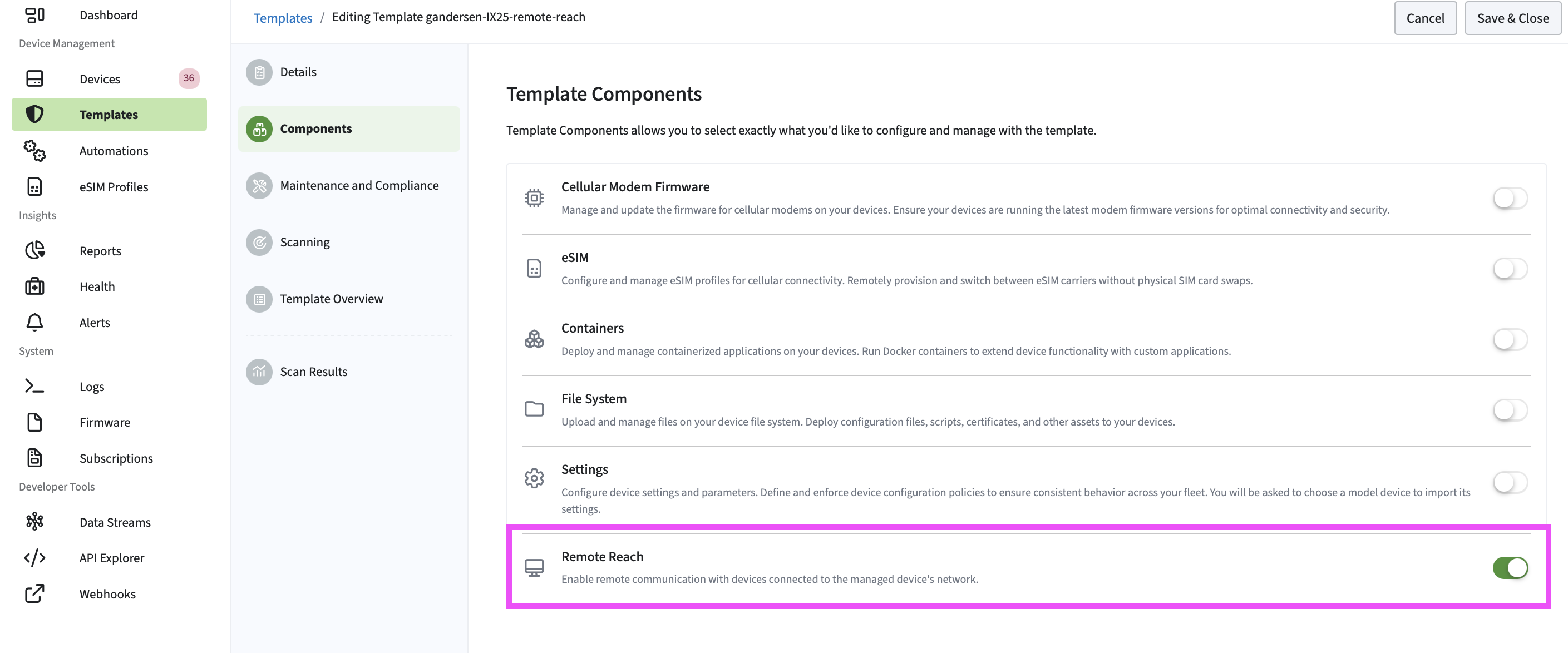
Use a template to enable the Remote Reach feature.

Note Remote Reach must be deployed through a template. You cannot install or enable Remote Reach directly from an individual device.

  • Use an existing template or create a new one. Enable the Remote Reach setting from the Components tab in the templates wizard.

    Once enabled, the Remote Reach files are installed on the device the next time it is scanned and remediated.

View the template scan history of a device.

  • Verify that the template scan and remediation completes and that the device is compliant.

Discover, configure, and add devices to Remote Reach.

  • A successful scan indicates that a device is reachable from the Digi router. It does not guarantee that the desired service is available or that the you have permission to access it.

[Optional] Start a Remote Reach connection.

Remote Reach establishes a secure connection to an endpoint behind a Digi router. It does not automatically grant access to the endpoint. Users must still authenticate using the credentials required by the target device or application.

  • Security warnings: When connecting to web-based interfaces, you may encounter certificate warnings if the endpoint uses a self-signed or privately issued certificate. This behavior is common when accessing internal devices.

  • Connection performance: Session performance depends on network conditions between the user, the Digi router, and the endpoint. Latency, bandwidth limitations, and packet loss may affect responsiveness.

  • Multiple users: If multiple users connect to the same endpoint simultaneously, their activities may affect each other depending on the endpoint and protocol being used.