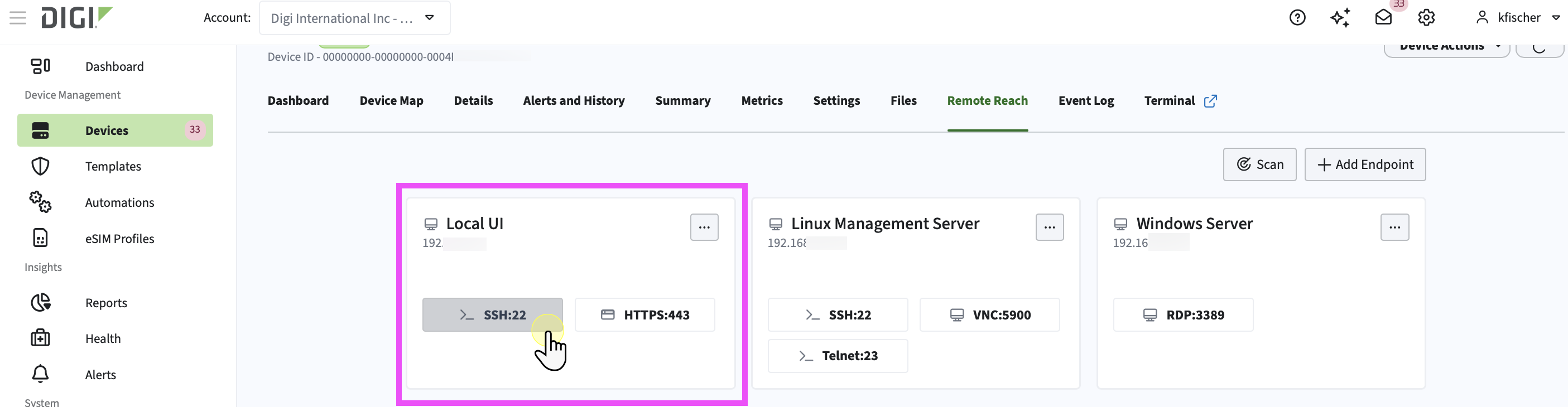
Start a Remote Reach connection on an endpoint
-
In the left navigation menu, click Devices.
-
In the devices list, click the name of the device you want to work with to open its dashboard.
-
Click the Remote Reach tab.
-
On one of the endpoint cards, click the endpoint to start a connection.
A new window opens.
Status messages display as it gathers network information, connects to the device using the end you selected, and then confirms that the connection was made.
You have started a Remote Reach connection.