Delete an API key
 If an API key is no longer needed or it has been compromised, you can delete it.
-
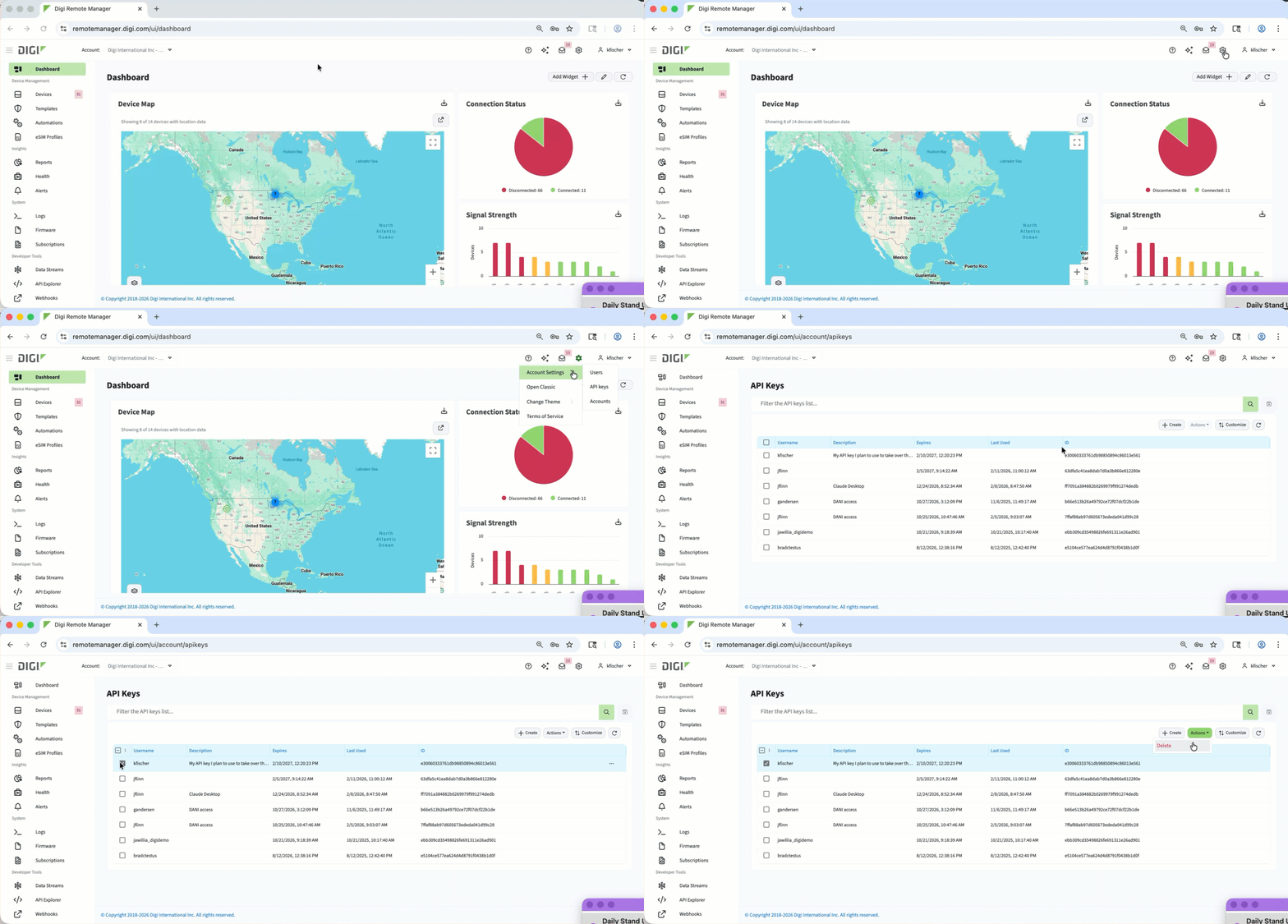
Log in to Digi Remote Manager.
-
In the header menu, click Account SettingsAPI keys.
-
On the API Keys page that displays, select the checkbox for the API key that you want to delete.
-
Click Actions > Delete.
-
In the confirmation box that displays, click Confirm.
The API key is deleted and no longer appears in the API list.