Create an API key
The DRM MCP Server authenticates using API keys. Each user or AI Agent should use its own API key.
 Guidelines for using API keys
-
API keys inherit the permissions of the user who creates them.
-
Apply the principle of least privilege when assigning permissions.
-
The API Key Secret is shown only once and cannot be recovered.
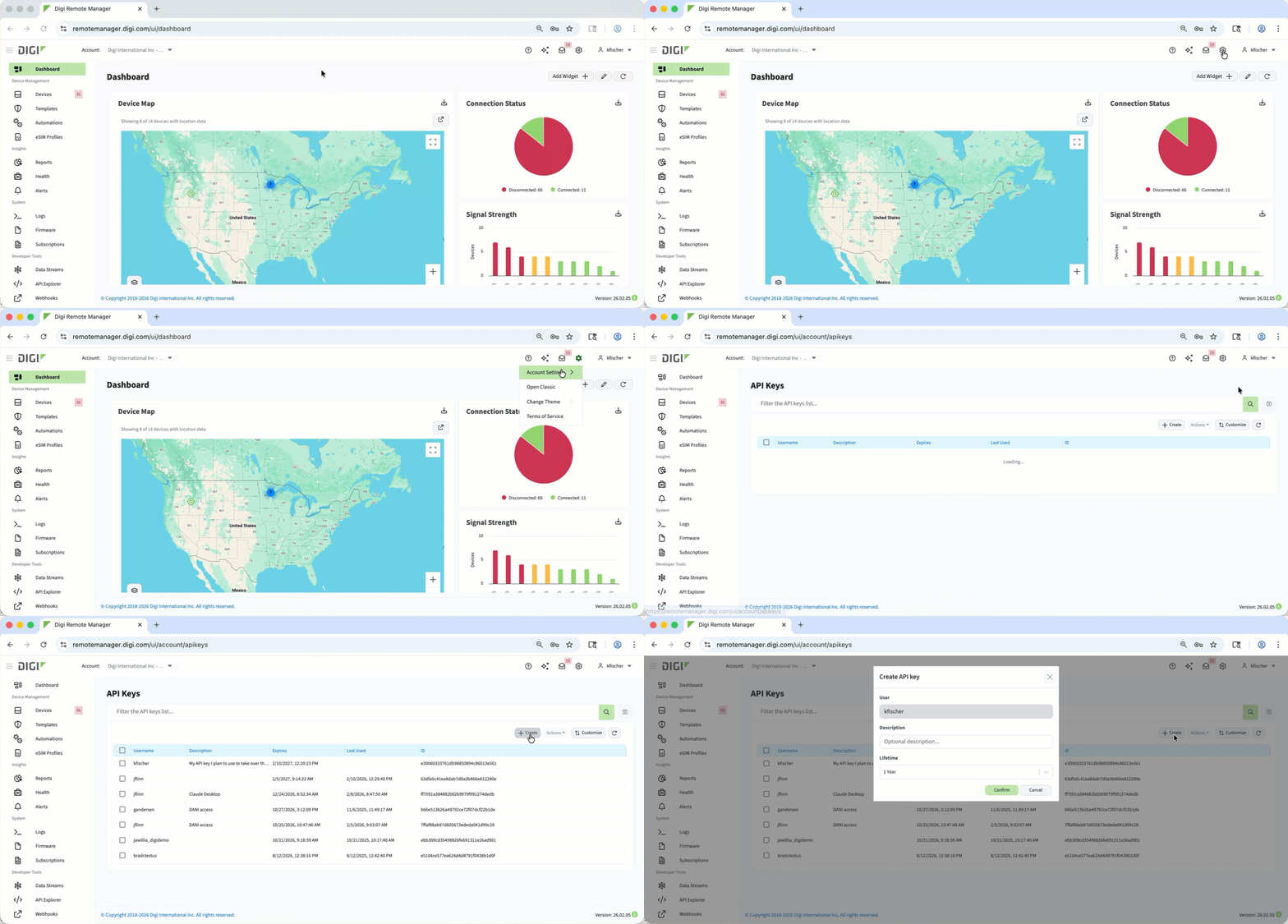 To generate the API key ID and API Key Secret credentials:
-
Log in to Digi Remote Manager.
-
In the header menu, click Account SettingsAPI keys.
-
On the API Keys page that displays, click Create.
-
In the Create API key window, type a description for the key (for example, Claude Desktop MCP).
-
Click Confirm.
The New API key window displays.
-
Copy the API Key ID and API Key Secret immediately and store them securely.
-
Click Close to close the window.
Your new API key is is generated and displays in the API keys list. You also receive an email that an API key was generated.