About activation mode
Tip Activation mode applies only to the IX25 and TX65 product models and does not apply to other product models in the EX, IX, and TX product families.
Activation mode refers to the initial and limited operational state of your Digi device after it is installed and powered on but before it has been registered to a customer account in Digi Remote Manager. In this state, the device is running and communicates with Digi Remote Manager but is not associated with an account, nor is it fully functional. Activation mode ensures the device cannot fully access external networks until it is properly claimed through Digi Remote Manager. Activation mode ends when a device is registered.
 Why activation mode is necessary
Activation mode provides a controlled onboarding process for your Digi devices. By restricting certain functionality until activation is completed, it ensures that:
-
Devices are securely associated with the correct customer account.
-
Warranty, support, and Digi Remote Manager access, which is associated with the Digi360 license of the product, is activated.
-
Administrators maintain account-level ownership and control of deployed devices.
This process helps maintain security, device accountability, and consistent management across all deployed devices.
Key characteristics
When a device is in activation mode:
-
The device is installed, powered on, and in limited communication with Digi Remote Manager, but is not yet registered.
-
The device has not received an activation key from Digi Remote Manager.
-
The device is not yet associated with a Digi Remote Manager customer account.
-
Outbound WAN Internet access is blocked until activation is completed.
-
The device displays activation warnings in the CLI and Web UI console.
What you can do in activation mode
While the device remains in activation mode, you can still perform limited local management tasks, such as:
-
Access the device CLI
-
Access the device Web UI
-
Perform basic local configuration
-
Prepare the device for connection to Digi Remote Manager
-
Add the device to a Digi Remote Manager customer account
These capabilities allow administrators to verify installation and prepare the device for activation.
What you cannot do in activation mode
Certain capabilities remain restricted until activation is completed:
-
Outbound WAN Internet connectivity is blocked
-
The device cannot operate with full network functionality
-
Some cloud-dependent features may not function until activation occurs
What you will see
While the device is in activation mode, you may observe:
-
Activation warnings on the Web UI console login page and the device dashboard
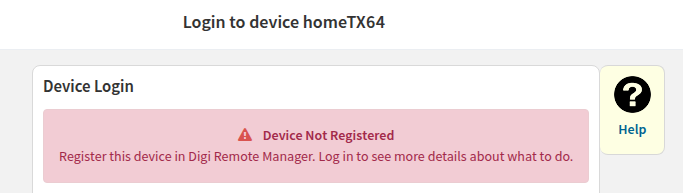
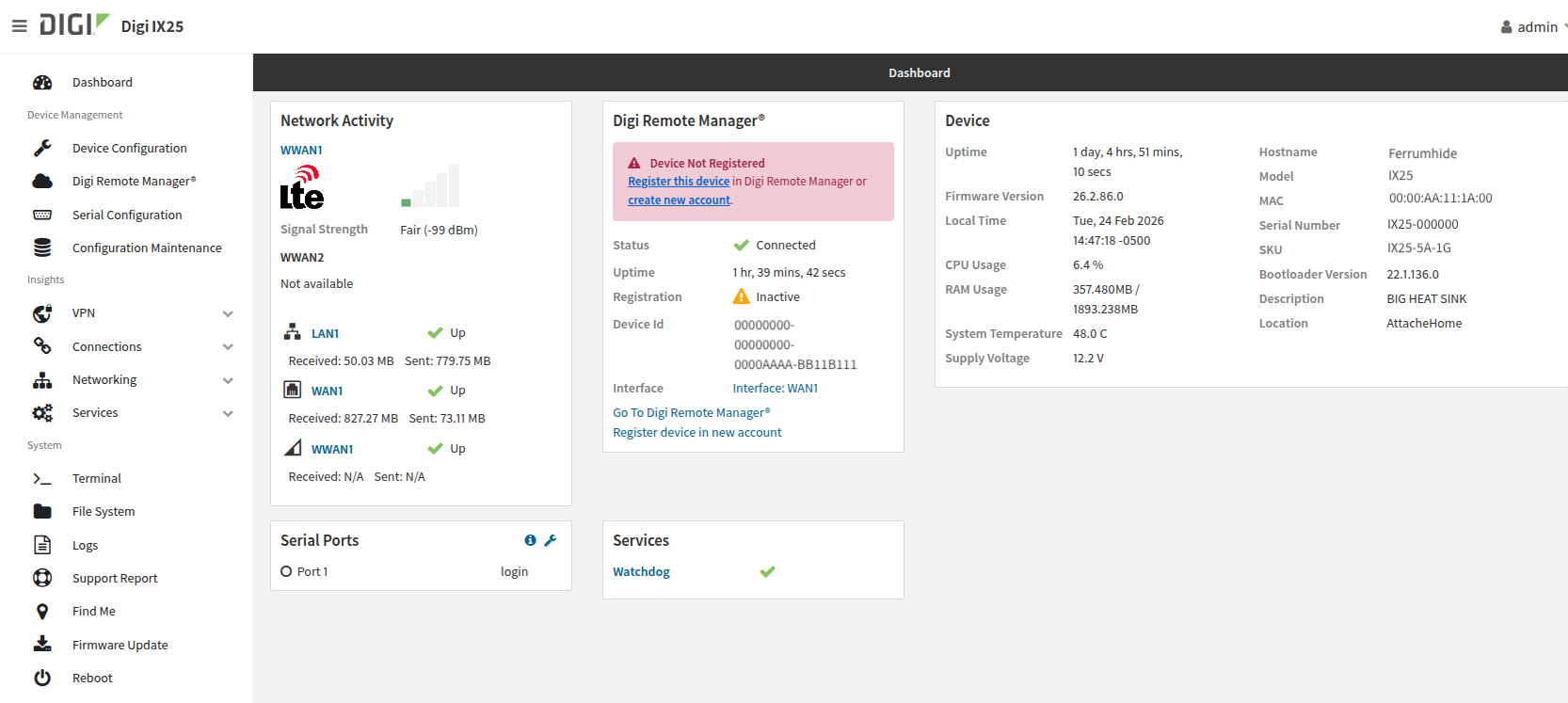
These warnings remain visible until the device is registered in Digi Remote Manager.