View a subscription's details page
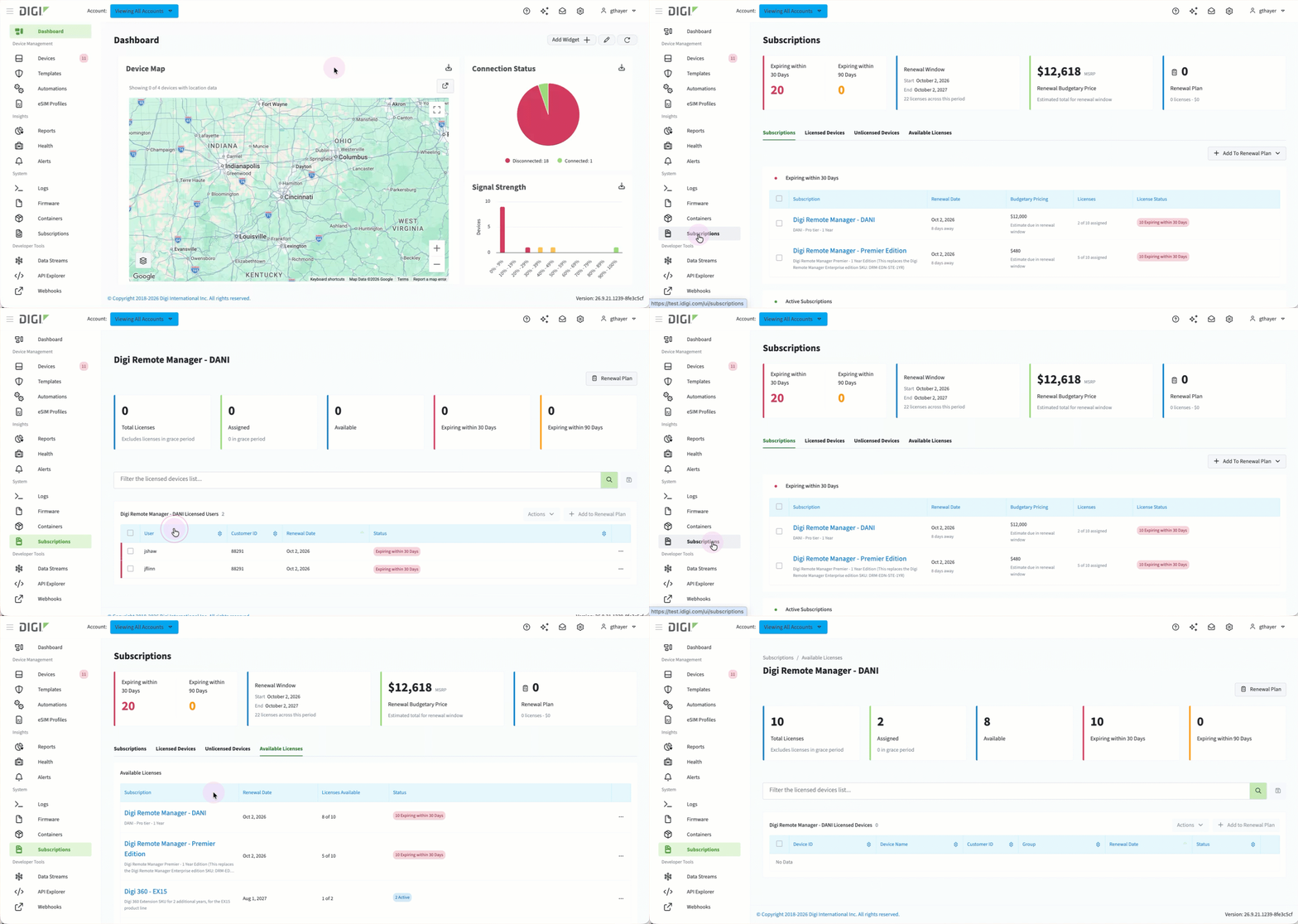 To view the subscription's details:
-
Log in to Digi Remote Manager.
-
In the left navigation menu, click Subscriptions.
The Subscriptions page displays.
Click the name of a subscription to open its details page.