Hardware components
Knowing your router’s hardware components helps you set it up correctly, solve issues faster, and keep your network running smoothly and safely.
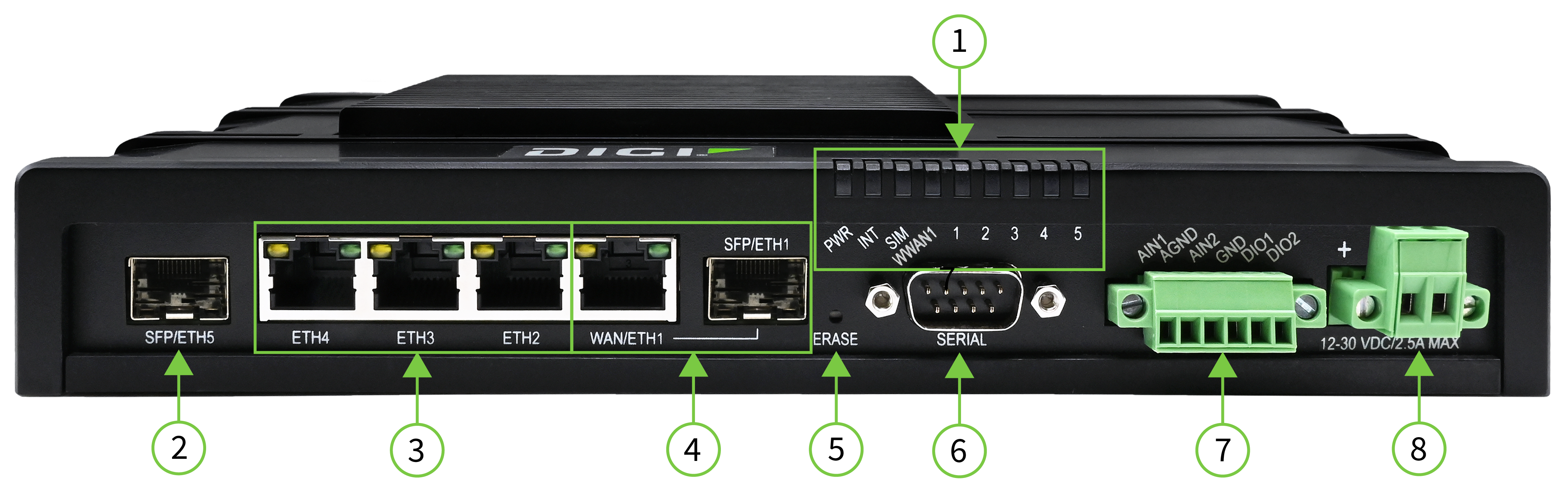
Front panel
|
Number |
Item |
Description |
|---|---|---|
|
1 |
LED lights |
See Digi IX40 LEDs. |
| 2 | SFP/ETH5 |
Ethernet port, 1 GB SFP socket enabled. WARNING! The IX40 only supports SFP Modules. An SFP+ Module will not be recognized. |
| 3 | ETH4, ETH3, ETH2 |
10/100/1000 copper Ethernet port and defaults to a LAN port. |
| 4 | WAN/ETH1 and SFP/ETH1 |
Serves as the main wired network interface as either a WAN port for internet or upstream connectivity or a LAN port for local network device connections, depending on the configuration. These are mutually exclusive ports:
|
| 5 |
ERASE button |
For information about this physical, on-device control, see button. For information about resetting the router using this button, see Device reset. |
| 6 |
Serial port connector |
See IX40 serial port connector for information. |
| 7 |
6-pin I/O connector |
Input/output connector. See Digital input/output and analog input connections. |
| 8 |
2-pin power connector |
Reverse polarity protection. 12- to 30-volts DC with 2.5 amps. See Device power specifications for power requirements and other details. |
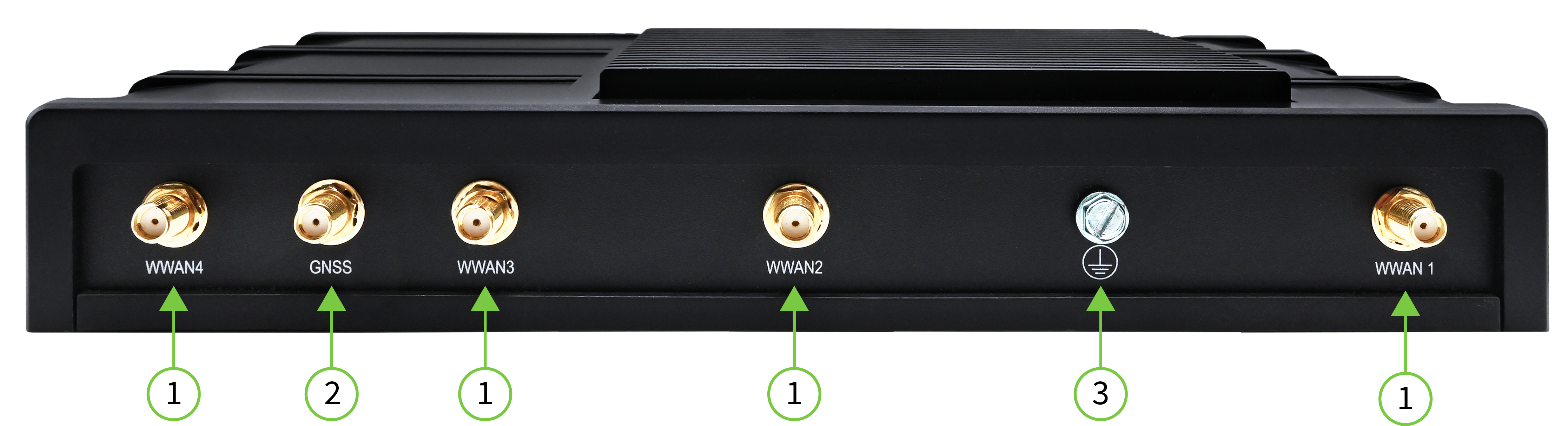
Back panel
|
Number |
Item |
Description |
|---|---|---|
|
1 |
Cellular antenna connectors |
Main (WWAN1) and auxiliary (WWAN2, WWAN3, WWANN4) cellular antenna connectors. For information about the supported frequency bands on this device, see Cellular antenna connectors and supported frequency bands. WARNING! For Class I, Division 2 Hazardous Location applications: Antennas intended for use with the product must be installed within the end use enclosure. For external mounting of the antennas, routing and installation of the antennas shall be in accordance with the appropriate location regulations. |
|
2 |
GNSS antenna connectors |
The IX40 supports both a passive or active GNSS antenna. For more information, see IX40 GNSS antenna. |
| 3 | Ground screw | Electric ground screw for fastening a ground wire. |
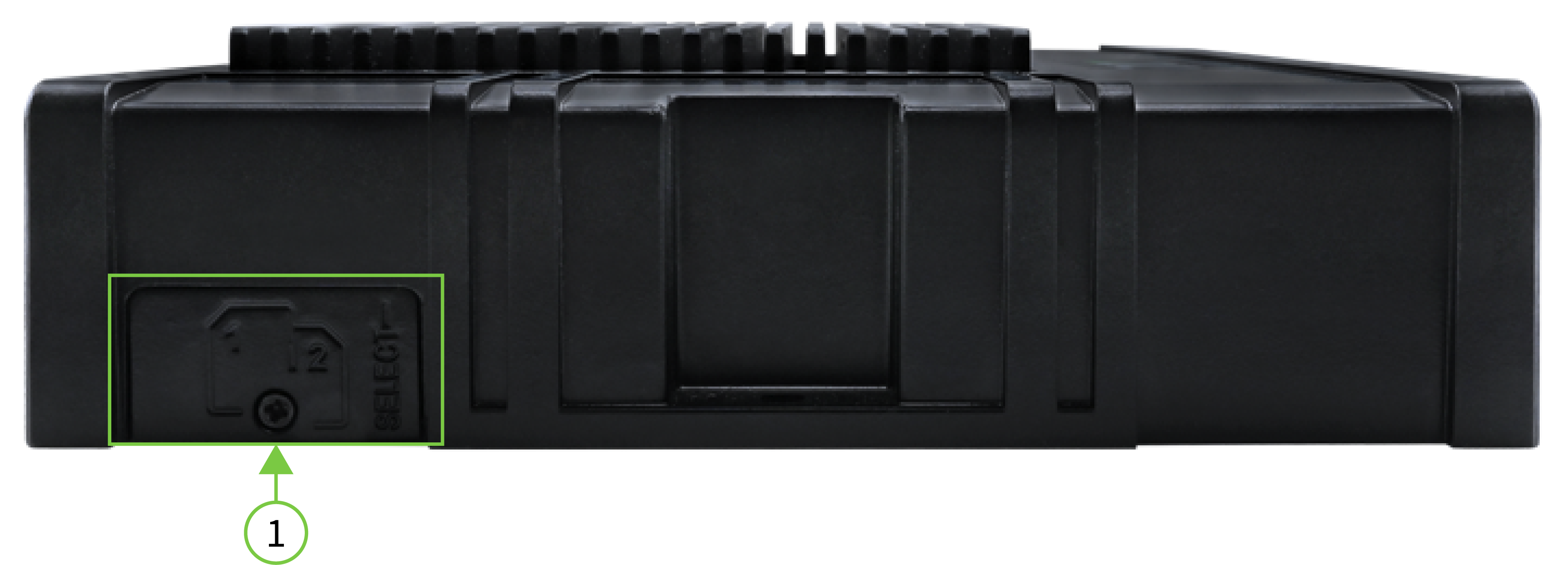
Left side panel
| Number |
Item |
Description |
|---|---|---|
|
1 |
SIM Cover |
Covers the SIM slots and trays. WARNING! Are you using consumer-grade SIM cards in a device that is subject to shock, vibration, or material expansion/contraction due to seasonal temperature variations? If so, these extreme conditions can lead to contact fretting and unexpected SIM card failure. Digi strongly recommends using industrial-grade SIMs instead of consumer-grade SIMs. Industrial-grade SIMs are designed for extreme environments and are constructed of heavier-gauge materials and extended-temperature electronic components. |
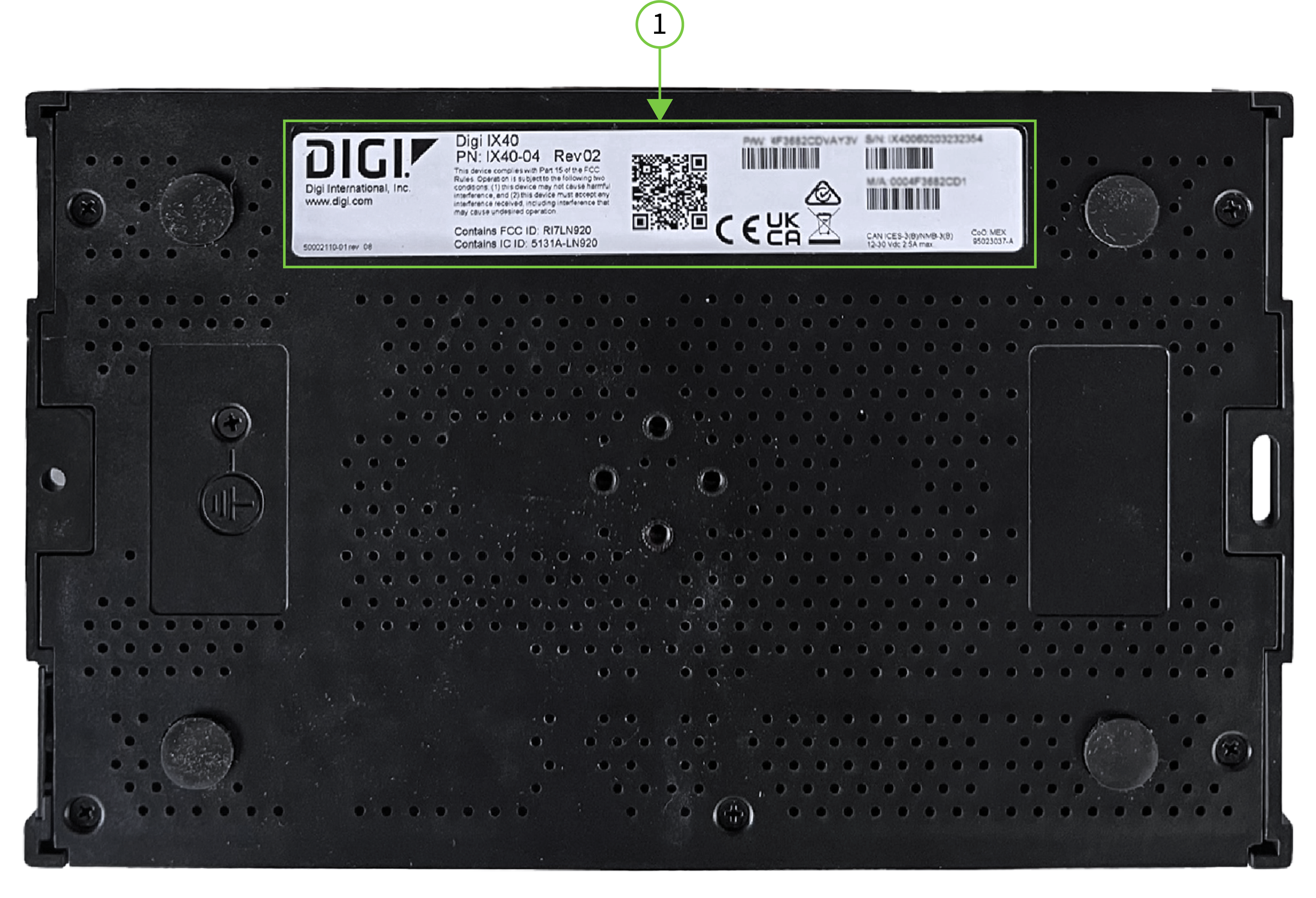
Bottom panel
|
Number |
Item |
Description |
|---|---|---|
|
1 |
Product label |
Includes information about the device:
See QR code definition for more information about how to use this code. |


