By default, only devices connected to the IX15's LAN have access to the device via web administration and SSH. To enable these services for access from remote devices:
- The IX15 device must have a publicly reachable IP address.
- The External firewall zone must be added to the web administration or SSH service. See Firewall configuration for information on zones.
- See Set the idle timeout for IX15 users for information about setting the inactivity timeout for the web administration and SSH services.
To allow web administration or SSH for the External firewall zone:
Step 1: Add the external firewall zone to the web administration service
-
Choose the management interface you want to use to access your device. Click a dropdown for instructions.
-
Configure the settings.
 Menu instructions
-
Click to open the device's configuration menu.
-
In Digi Remote Manager, on the device dashboard, click Settings.
-
In the Web UI, click Device Configuration.
-
- Click Services > Web administration > Access Control List > Zones.
- For Add Zone, click .
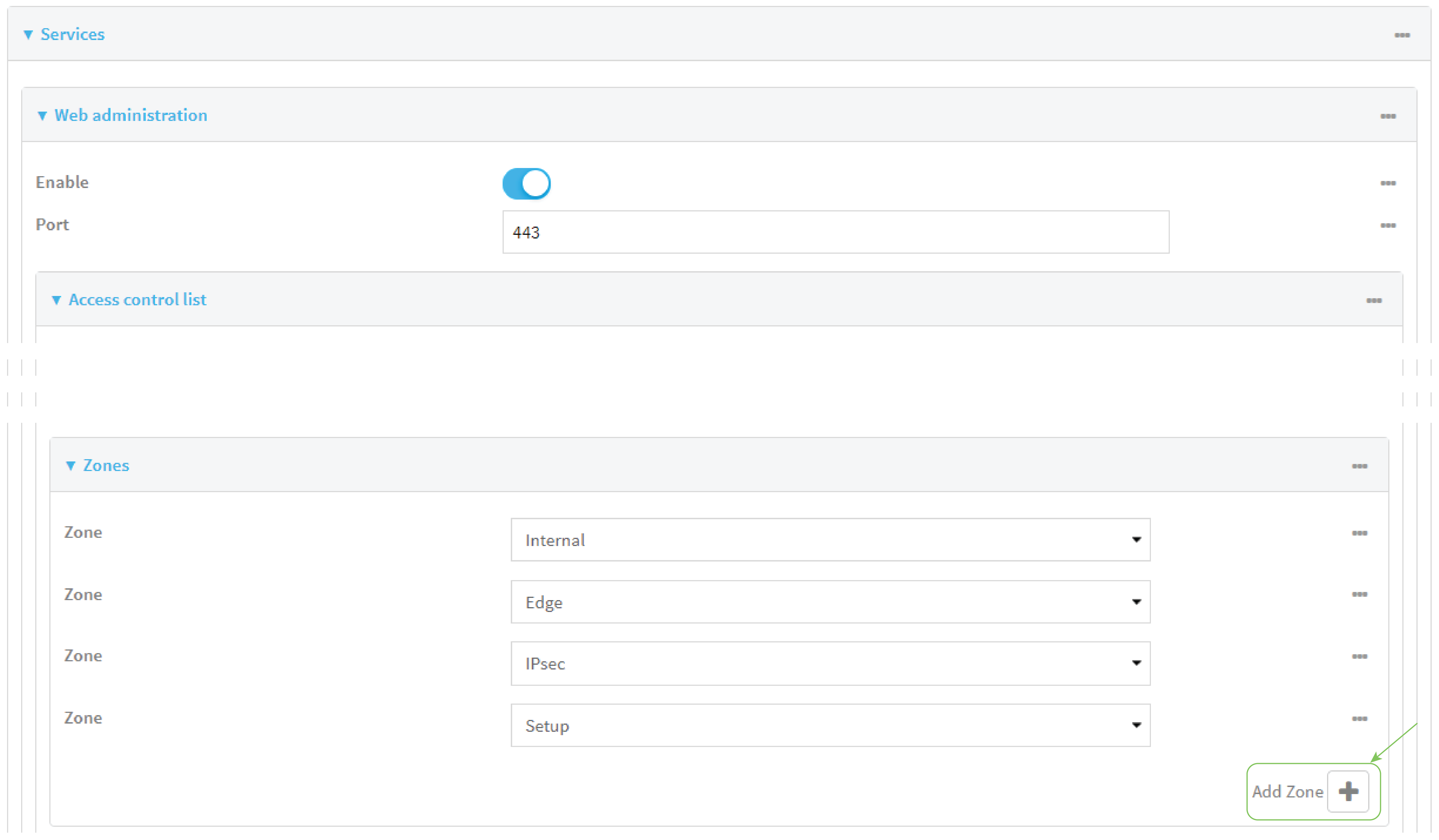
- Select External.
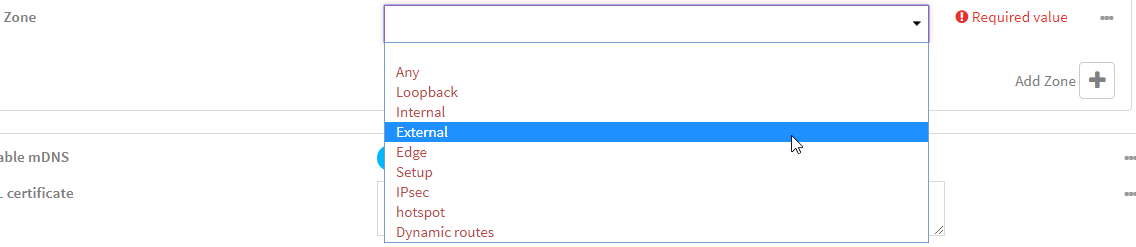
- Click Apply to save the configuration and apply the change.
CLI instructions
-
At the CLI prompt, type config and then press Enter.
- Add the external zone to the web administration service:
(config)> add service web_admin acl zone end external
(config)>
- Save the configuration and apply the change.
(config)> save Configuration saved. > - Type exit to exit the Admin CLI.
Depending on your device configuration, you may be presented with an Access selection menu. Type quit to disconnect from the device.
-
Step 2: Add the external firewall zone to the SSH service
-
Choose the management interface you want to use to access your device. Click a dropdown for instructions.
-
Configure the settings.
Menu instructions
-
Click to open the device's configuration menu.
-
In Digi Remote Manager, on the device dashboard, click Settings.
-
In the Web UI, click Device Configuration.
-
- Click Configuration > Services > SSH > Access Control List > Zones.
- For Add Zone, click .
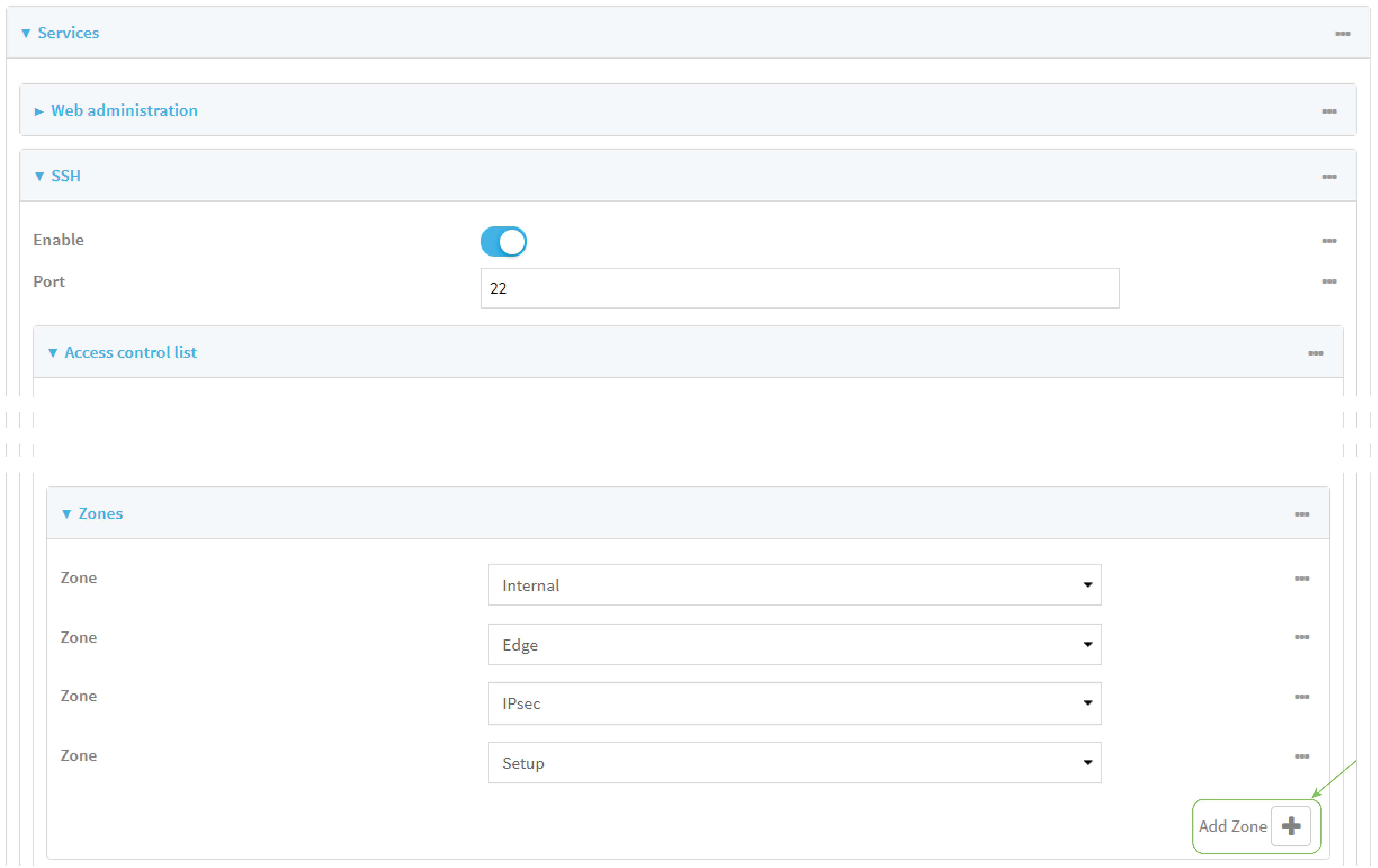
- Select External.
- Click Apply to save the configuration and apply the change.
CLI instructions
-
At the CLI prompt, type config and then press Enter.
- Add the External zone to the SSH service:
(config)> add service ssh acl zone end external
(config)>
- Save the configuration and apply the change.
(config)> save Configuration saved. > - Type exit to exit the Admin CLI.
Depending on your device configuration, you may be presented with an Access selection menu. Type quit to disconnect from the device.
-


